
For ZZP'ers and freelancers
Your quarter
closes itself.
Photograph your receipt, connect your bank, and EasyFinance books it, categorises it and works out your VAT. All that is left for you is checking that it adds up.
Try free for 7 days · iPhone, Android and in your browser
- Albert Heijn 1043Office9%€ 12,40
- Shell AmsterdamTravel21%€ 68,20
- Adobe SystemsSoftware21%€ 65,49
- NS ZakelijkTravel9%€ 41,00
- KPN ZakelijkPhone21%€ 47,15

What it does
Bookkeeping that is already done
by the time you look at it.
Receipts
Photograph it. It is booked.
Take a photo or forward the receipt by email. The supplier, the amount and the VAT rate are read off it and posted to the right account, even if the receipt spent a fortnight crumpled in your coat pocket.
Bank connection
Your account, already up to date.
Connect your business account and transactions arrive the moment they do. Categorising becomes confirming instead of typing, and nothing sits waiting in an export any more.
VAT
The quarter adds itself up.
Your return is built up over the quarter, not in the last week of it. You can see what you owe at any moment, so there is never a figure you did not see coming.
Fox, the assistant
Just ask,
in plain language.
No menus to hunt through and no filters to set. Ask what you want to know and the answer comes out of your own books, with the transactions and receipts it is based on attached.
- “What did I spend on travel this quarter?”
- “Which invoices are still unpaid?”
- “Can I write this laptop off in one go?”
How it works
Three things,
and then nothing more.
Setting up costs you half an hour. After that the bookkeeping is something that happens in the background instead of something you schedule.
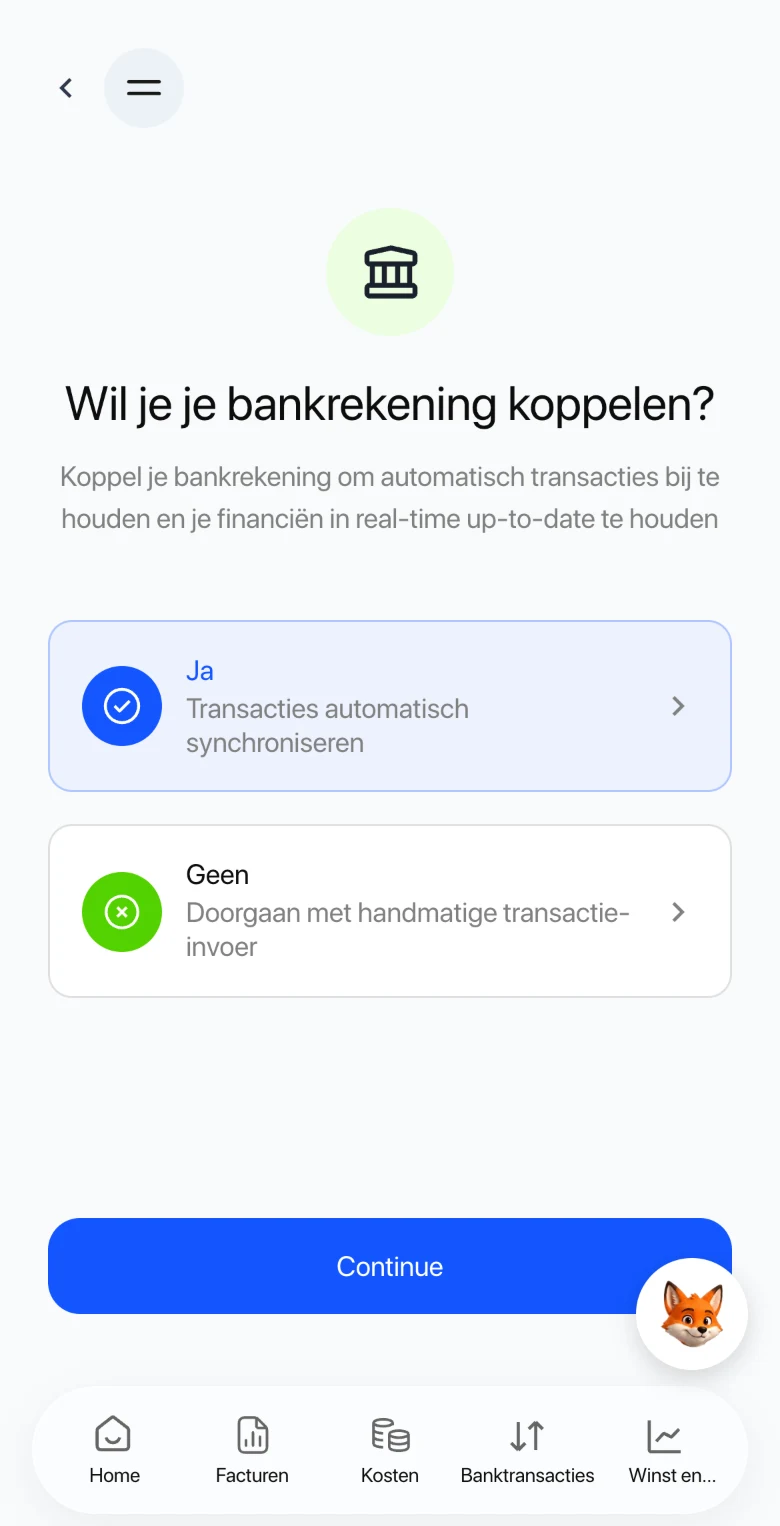
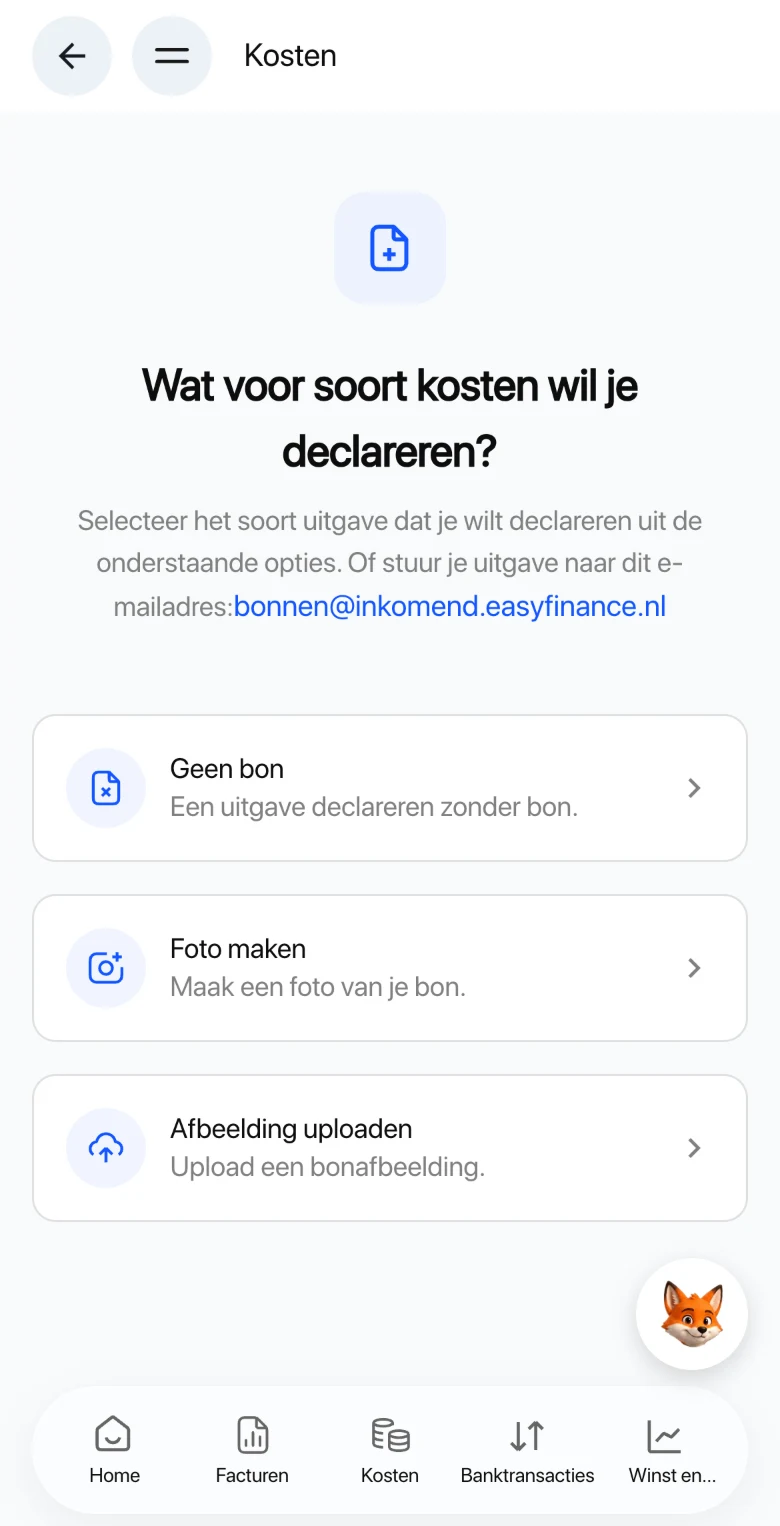
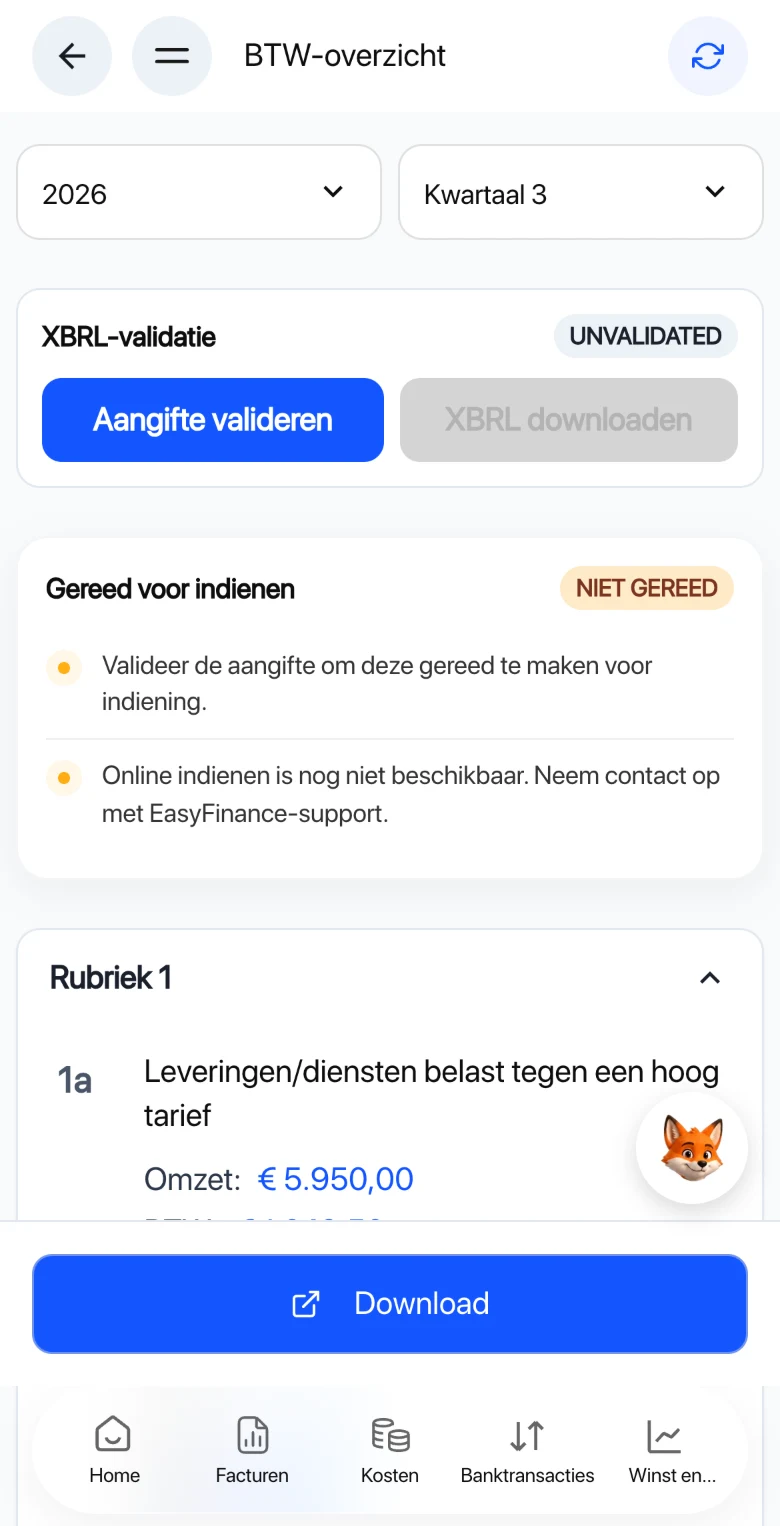
The same bookkeeping on your phone and on your laptop. What you photograph on the road is there when you sit down at home.
Screenshots from the app, shown in Dutch. Amounts are sample data.
Invoices in a minute
Your clients and products are ready to go. Send it and see who has not paid yet.
Hours per project
Log your hours wherever you are and turn them into an invoice in one step.
Everything exportable
Your bookkeeping is yours. Take it out whenever you like, in a common format.
What it costs
Seven days free,
then pick what fits.
Easy 0
To see whether it suits you.
€07 days
- Invoicing and receipt scanning included
- VAT overview included
- A little AI usage included
- Bank connection not included
- Recommended
Easy 20
For a sole trader business that is just starting.
€9.99per month
- 20 transactions per month included
- Receipt scanning and VAT overview included
- Regular AI usage included
- Bank connection included
Easy 50
For a sole trader business that is up and running.
€16.95per month
- 50 transactions per month included
- Receipt scanning and VAT overview included
- 2x the AI usage included
- Bank connection included
Easy Unlimited
For when your bookkeeping no longer sits still.
€22.95per month
- Unlimited transactions included
- Receipt scanning and VAT overview included
- 3x the AI usage included
- Bank connection included
A transaction is a bank transaction, a sales invoice or a purchase invoice. AI usage is what the assistant, reading receipts and categorising use together in a month: Easy 50 gives twice and Easy Unlimited three times as much as Easy 20. You start with Easy 0: seven days free, without a bank connection. After that you choose the plan that fits.
Questions
What people ask us
before they start.
No. EasyFinance asks its questions in plain language and works out the right entry itself. Where a choice really is yours, it says what the choice means.
You do that in the app under Bank. You authorise the connection at your own bank; EasyFinance only gets to see your transactions and can never move money.
EasyFinance builds your return over the quarter and works out what you owe. Filing it and the final check stay with you: it is your return and your signature.
You start with Easy 0: seven days free, without a bank connection and with a little AI usage. After that Easy 20 costs €9.99, Easy 50 €16.95 and Easy Unlimited €22.95 per month. The difference is how many transactions you have per month and how much AI you can use.
Yes. A paid subscription runs in periods of thirty days and you cancel whenever you like. You keep access to your own data afterwards and can export it.
On iPhone and Android through the app, and in any modern browser. It is one account: what you photograph on your phone is on your laptop straight away.
The next quarter
can be the last one you work out yourself.
Create an account, connect your bank and photograph your first receipt. The rest is there when you come back.